How to send a message by EIC to a user?
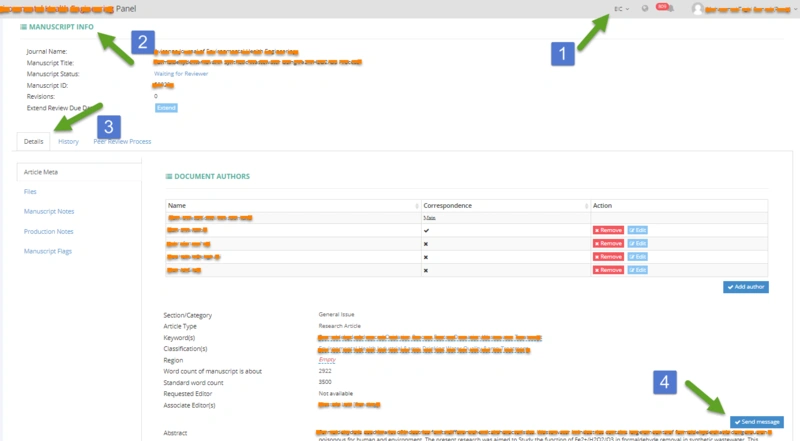
EIC can send messages manually to AE and Reviewers of a specific article. Go to the manuscript page and click on "Send Message."
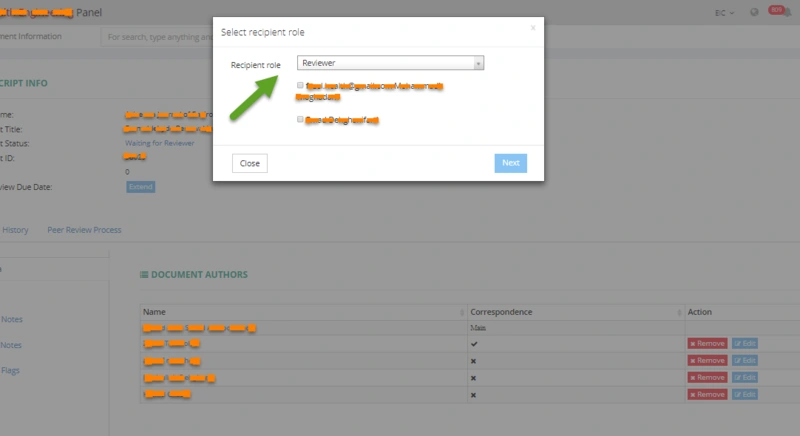
By clicking on this button, EIC can select the message's recipient role. For example, by clicking on the Reviewer, all reviewers of that specific article will be shown, and clicking on the people on the list will receive the message.
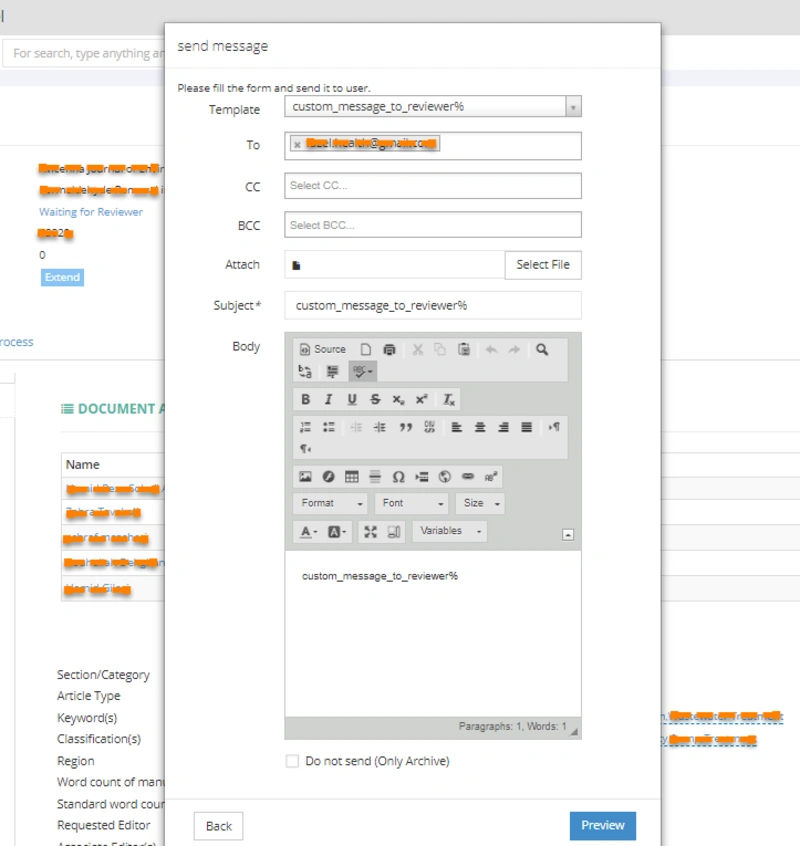
EIC can type the message in the box and preview it afterward by clicking the Next button.