
Every reviewer can obtain an official certificate for each assignment completed inside the journal management system. Certificates are generated automatically once a review is finished, and each one can be verified online by a third party.
Downloading your certificate
Complete the review first — certificates are only issued for finished assignments.
Sign in
Sign in to the journal with your username and password.
Switch role
Change your role from author to reviewer using the selector in the top right pane.
Open the manuscript
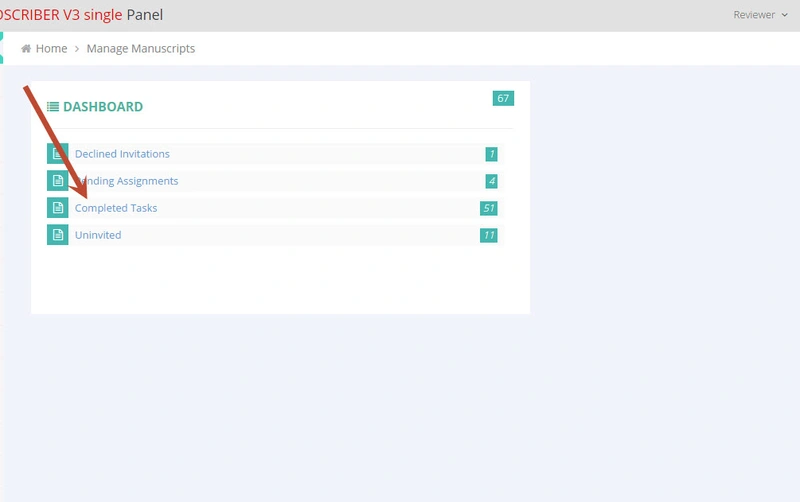
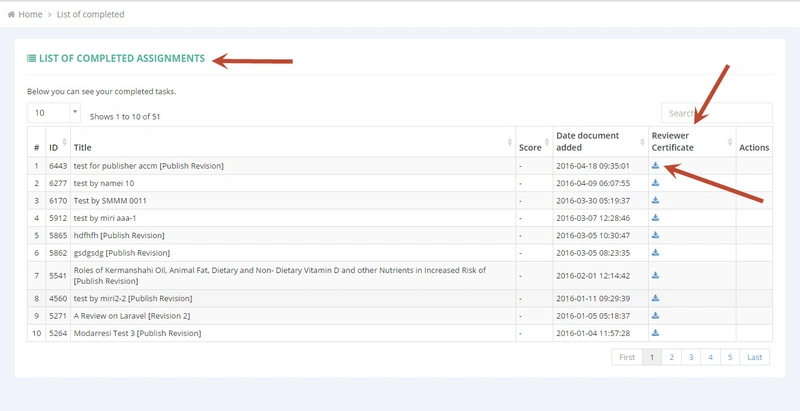
Go to Completed Tasks, click the manuscript title, then Manuscript Info and Peer Review Process.
Open the certificate
Click Certificate, then follow the certificate hyperlink.
View or download
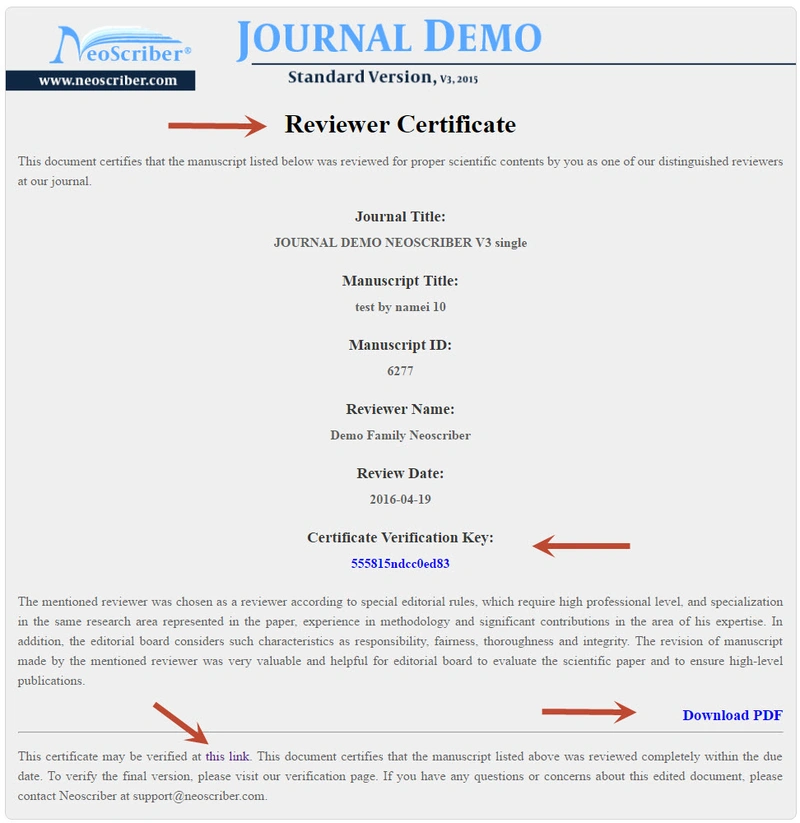
Your reviewing certificate opens on screen and can be downloaded as a PDF.
Verifying a certificate
Every certificate carries a verification key of at least twelve characters, printed on the certificate itself. Anyone — an employer, a funder or an evaluation committee — can confirm that a certificate is genuine by entering that key on the Brieflands certificate verification page.