
Your profile holds the details a journal uses to contact you and to credit your work, and the same area shows a record of your activity in each role you hold.
Editing your profile
Users can edit their profiles at any time. When "Edit Profile," several features are accessible.
- General Information:
- Personal Information: The user can change personal information (title, name, degree, contact info, Tel, fax, and country).
- Institutional Related Information: Position, Institution, Department, and University can be changed.
- Area of Interest: We strongly suggest that all users (especially AE and reviewers) define their classifications in this part.
- Additional Information: Users will be able to save their unavailable dates.
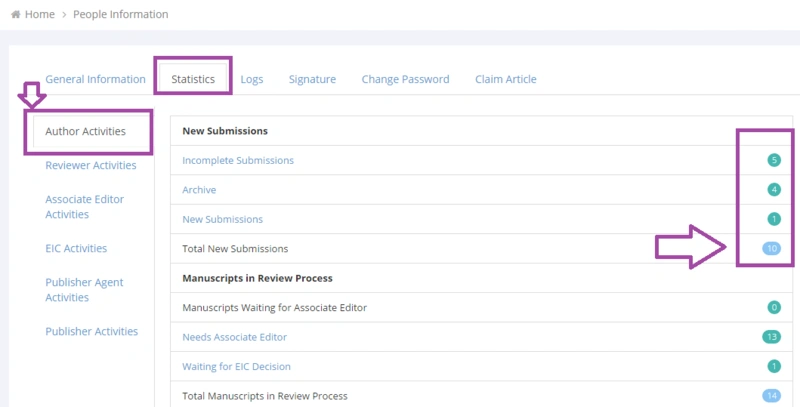
- Statistics
- Logs: All activities by users will be saved in the system. Users can see their activity log via the "Logs" menu. This will help the user to understand, find, and report suspicious activities on their account.
- Signature: Users can use a signature below their e-mails. This signature depends on the role of the user while sending the e-mails.
- Change Password
- Claim Article: Using this section enables authors to claim a published article.

Your statistics
Users can access their activities based on their roles in a journal. To do:
- Click the "Edit Profile " button (at the panel's top-right).
- Go to the "Statistics" Tab. Statistics of different roles are accessible via this feature.
Related pages